
JSON to XML when the other system still wants markup
REST APIs and browser apps run on JSON, but plenty of downstream tools do not. You might need XML for a legacy SOAP gateway, an enterprise config import, a government form schema, or a vendor ticket that only accepts `.xml`. Copying fields by hand is slow; dropping the payload into a random upload form is risky when the file has customer data. This page is an online JSON to XML converter that runs in your browser. Paste or import on the left, read the XML on the right, and keep both panes in view while you check structure. Nothing is sent to a server for conversion—the work stays on your machine after the page loads. When JSON parses, output updates as you edit; when it does not, you get a readable error instead of a blank preview.
Translate JSON to XML without the upload-and-wait loop
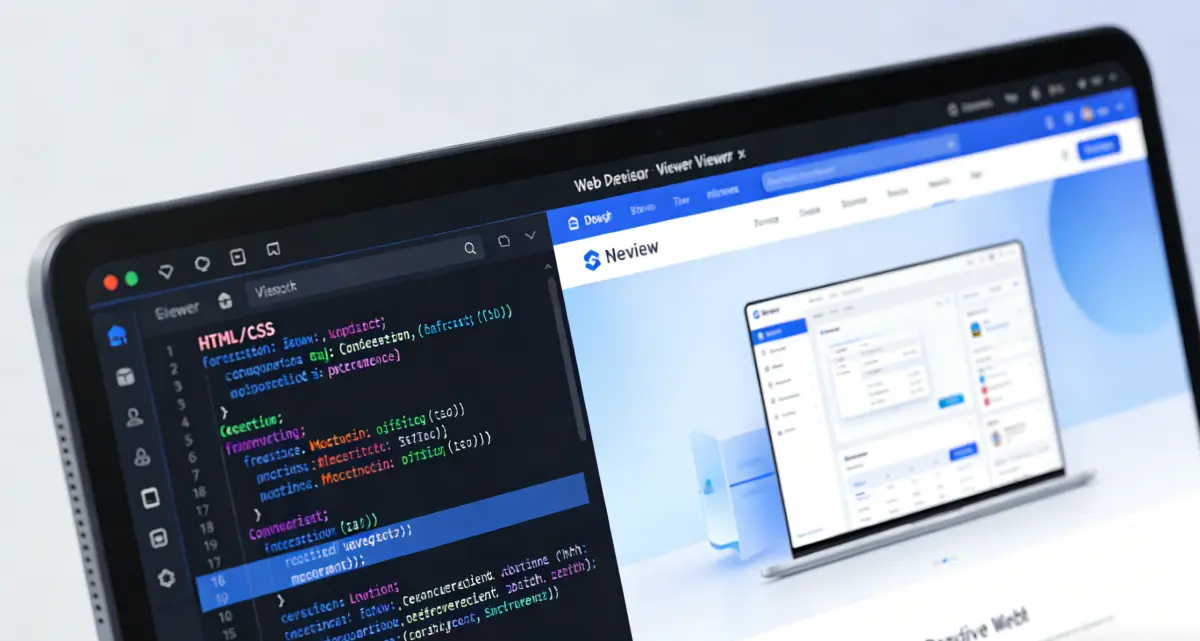
Most standalone converters treat the job as a one-shot upload. That is fine for a ten-line sample, but awkward when you are verifying how a nested object became elements, or whether `@sku` mapped to an attribute. Here the JSON and XML sit next to each other. Edit a key, glance right, continue. Prefixed keys (default `@`) become attributes; arrays become repeated sibling tags; mixed text and children use a configurable text key (default `#text`). If you already use our XML to JSON tool, the same defaults make round-trips less surprising. Large or awkward JSON shows up in real work—OpenAPI specs with numeric response codes, config blobs pasted from a log, hand-edited files with trailing commas. Keys that are not valid XML tag names are sanitized automatically, with the original name preserved in a `_key` attribute when needed, so the result stays well-formed instead of breaking at column 594 in a viewer.
Where this bench differs is what surrounds the core transform. Repair JSON fixes common syntax damage before conversion runs. Batch Convert applies the same rules across many files when you are normalizing a directory of exports. Formatted XML is indented for review; switch to Minified when you need a single line for storage or a header field. XML options let you rename the attribute prefix, text node key, and wrapper root when your spec does not match the defaults. When markup is still hard to scan, Preview in XML Viewer sends the current export to our dedicated viewer. Expand nodes, walk attributes, and confirm the shape before you paste the file into another system. It is not a replacement for a full schema validator—but it is the setup you reach for when someone says “can you get this into XML by this afternoon?”
Back to the converterFix JSON, then convert
A trailing comma or a block comment stops every parser. Repair handles many everyday mistakes so you are not stuck before XML appears.
See both sides at once
The visual layout keeps source and output aligned. You notice a wrong nesting level immediately instead of after a download.
Batch when one file is not enough
Run the same conversion across a set of JSON inputs when you are cleaning up exports or building a fixture library.
An online JSON to XML converter built for inspection, not just export
Side-by-side editing, JSON repair, batch jobs, naming options, and a one-click hop into XML Viewer—without installing Node packages or looking up CLI flags.

Visual conversion for files you actually ship
Treat the workspace as a bench you keep open during a handoff, not a novelty demo. Import a `.json` file or paste from email, Slack, or a CI log. The left panel shows plain JSON with a status strip at the bottom—green when the document parses, red with a line-and-column hint when it does not. The right panel renders XML with syntax highlighting as the structure takes shape: objects become elements, arrays repeat tag names, attributes come from prefixed keys. That layout matters when you are comparing two revisions of the same API payload, or when a stakeholder asks why a field moved. You do not re-upload after every tweak; you edit, look right, and move on. Teams that would otherwise paste a `json to xml js` helper into a script—or install another package on a locked-down laptop—can do the same work in the tab. If you have wired `json2xml` in JavaScript before, the attribute and text-key conventions here will look familiar when you sanity-check output before it lands in a Node service or a .NET import tool.
- Repair JSON first when a paste has comments, trailing commas, or unquoted keys—conversion will not run on a broken document.
- Batch Convert turns a folder of `.json` files into XML with the same naming rules, useful during migrations or fixture exports.
- The side-by-side layout shows JSON and XML together so you can spot a missing attribute without flipping tabs.
- Preview in XML Viewer opens the export in a tree view when nested elements are hard to read as raw markup.
How to convert JSON to XML on this page

Load JSON and confirm it parses
Paste into the left panel or use Upload for a `.json` file. Wait for the valid JSON indicator. If parsing fails, read the error at the bottom of the panel. Fix by hand when the problem is structural, or click Repair JSON for typical comment, comma, and quoting issues—then check again before you expect XML on the right.

Adjust XML options and pick an output style
Open XML options to set the attribute prefix (default `@`), text node key (default `#text`), root wrapper name, and whether to include the XML declaration. Use the Formatted tab while you review nesting; switch to Minified when you need a compact line for a config slot or log attachment. Need many files? Open Batch Convert from the toolbar and apply the same settings across the set.
Copy, download, or open XML Viewer
Copy XML to the clipboard, download `converted.xml`, or choose Preview in XML Viewer to explore the result in tree mode. The viewer helps when depth and attributes are easier to scan visually than as a wall of tags—click nodes to locate them in the source if you need to double-check a path.
JSON to XML conversion: practical questions
Ready to convert JSON to XML?
Scroll to the workbench, paste your file, and use Repair, batch, options, and XML Viewer when the job calls for more than a one-line export.
JSON to XML
- Repair JSON for comments, trailing commas, and unquoted keys before conversion runs.
- Batch Convert many `.json` files with the same XML naming options.
- Work visually with JSON and XML side by side instead of upload-and-download loops.
- Open XML Viewer from the toolbar to inspect elements, attributes, and structure.