A Markdown workspace for documents people actually ship
Paste a long assistant reply, import a README, or open notes you wrote elsewhere. You get a serious split layout: source on one side and rendered output on the other, with KaTeX where math belongs and Mermaid when flowcharts are part of the brief. That makes this useful as a markdown file viewer when you only need to read, and still handy as a lightweight markdown editor when you want to tweak a heading or fix a table before anyone else sees it. Toggle themes when dense prose gets tiring, lean on the outline so you are not hunting through sixty screens of bullets. When the draft is close, export a long PNG for threads, grab a quick PDF, or use the header and footer PDF path with an optional watermark when it needs to look like a hand-in rather than a screenshot. Copy rich text for Word, share a compact link when the payload fits, or open the preview in a new tab for a reader-style page with no editor noise. You can also import a folder, browse Markdown, text, and DOCX files in the sidebar, and export by tab or export the whole folder.
Live preview
Mermaid and math
Export and share
Reading-first tooling for Markdown that grew out of chat
Most of us do not write Markdown for its own sake. We receive it: release notes, specs, class summaries, and long answers from models that default to headings and lists. A good markdown reader should respect that reality instead of treating the file like a novelty.
What you can do here that a generic md viewer often skips
You might land here because you wanted a simple markdown preview next to the raw text, or because you needed a readme viewer before merging documentation. Both are fine. The difference is the workflow around the preview. There is an outline that mirrors heading structure so you can jump instead of scroll, which matters when AI output stacks nested sections three or four levels deep. There is a repair flow that lists likely issues and shows a side-by-side diff before anything is replaced, which is closer to how engineers review patches than how toy formatters blindly rewrite your file. When you want to validate how something will read without touching the workspace, treat the page as a markdown tester: paste, render, and discard. When you want to hand something in, the formatted PDF path supports headers, footers, page numbers, and a watermark line so drafts stay clearly marked.
Exports are deliberately practical. The long-image download captures the full rendered article as one tall PNG, which is often the fastest way to share a recap where PDFs feel heavy. The quick PDF is there when you just need a printable snapshot. The richer PDF option is for the moment you need something that looks considered: centered header text, a footer note, optional watermark, and page numbers in the corner. For people who live in chat apps, the paste dialog accepts long Markdown in one shot so you are not fighting the textarea. If you only care about reading, open the preview in a new tab and you get a clean article surface without the editor rail. None of this replaces a full IDE, and it is not trying to. It is meant for the stretch between "I have Markdown" and "I need it presentable," which is where a lot of everyday work actually sits.
Back to topLong PNG for vertical sharing
Download the rendered document as one continuous image when a PDF feels like overkill and a crop would cut off the middle of your argument.
PDF with watermark when it matters
Use header, footer, optional watermark, and page numbers when you need a draft that still looks intentional, not like a browser printout.
Repair with a diff, not a blind fix
Run the Markdown repair check, read the warnings, and only apply changes after you have seen what would move so you stay in control.
Tools that sit beside the markdown preview
Same page, different jobs: skim, edit lightly, export, or hand off a link without opening three other apps.

From markdown preview to presentable output in a few clicks
The center of the experience is still the render: tables, task lists, fenced code, math, and diagrams where supported. Around that we keep the boring-but-important bits close. Sync scroll when you want the editor and preview lined up, or turn it off when you are reading. Use themes so code blocks and body text stay legible on different screens. When your source is almost right but a fence did not close or a heading lost its space after the hash, the repair tool is one menu away. When you are happy with how it reads, pick the export that matches the medium: Markdown file, quick PDF, formatted PDF with watermark support, long PNG, rich text for Word, or a shareable URL when the content size allows. Import a folder to preview files from the sidebar, then export by tab or export the entire folder.
- Outline follows headings so long AI drafts are easier to scan.
- Optional Markdown repair with a diff before you apply changes.
- Exports include long PNG, quick PDF, and PDF with header, footer, and watermark.
- Open the rendered article in a new tab when you want a clean reading surface. Folder import, sidebar browsing, and folder export included.
How to view Markdown files
Paste something long from an assistant
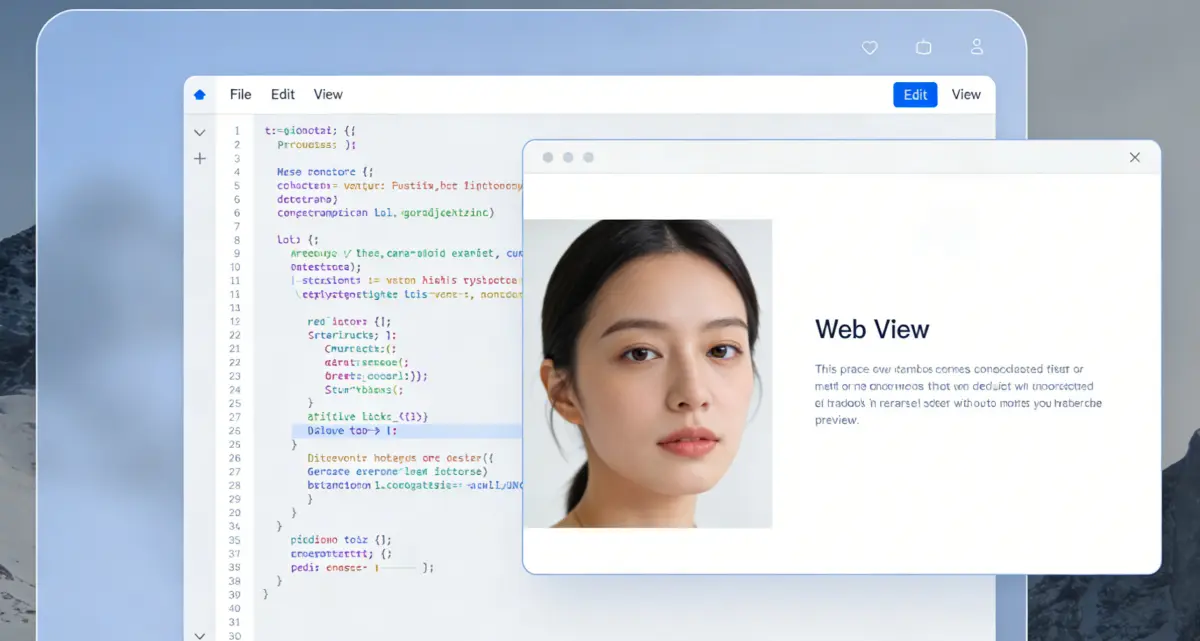
Open the paste dialog, drop in the full response, and confirm. You will land in the editor with the outline populated from headings, which is the fastest way to see whether the model buried an important caveat twelve sections down. Use open in new tab when you want a standalone page that behaves like a simple article view.

Import a file you already trust
Use import when you are reviewing a README, a lab handout, or internal notes saved as .md. This is the path people mean when they search for a markdown file viewer or readme viewer: you are not drafting from zero, you are checking structure, links, and headings before you forward the file. If something renders oddly, run repair and decide line by line whether to accept the suggested fixes.
Treat the page as a small markdown editor
You can type directly, duplicate tabs for side experiments, and use the sample document as a reference for Mermaid and math. That makes the same surface work as a casual markdown editor or markdown tester when you are validating a snippet before pasting it into a ticket. When the render looks right, export or copy in the format your teammate asked for instead of reformatting by hand.
Questions people ask before trusting a browser Markdown tool
Use the Markdown viewer on this page
Scroll up to the workspace, paste or import, then pick preview, outline, repair, or export as you go.
Markdown Viewer
- Outline that tracks headings in long drafts
- Fix Markdown with an explicit diff before apply
- Long PNG, quick PDF, and PDF with optional watermark
- Open rendered preview in a new tab for clean reading